How to collect wedding RSVPs from guests abroad
Updated 10 November 2026
In short
Send each family its own link. Whoever opens it sees only their names, says who is coming, picks a menu and notes any allergies: one reply for the whole family, in a minute, from any phone. You get the live list of who is coming, who hasn't replied and who replied in part, and you send reminders on WhatsApp until the deadline you set.
Why RSVPs get messy for a wedding in Italy
Guests are spread across countries and time zones. Replies arrive by email, by text, through the couple's parents, sometimes in two languages. A few weeks before the day the caterer asks for numbers, children, vegetarians, the guest with coeliac disease, and someone rebuilds it all from the chats.
The fix is one place where guests reply on their own, and where you read.
How it works, step by step
Upload the guest list you already have
Your Excel or CSV, or our template. Columns are recognised on their own, errors show row by row before you save, and uploading again never duplicates anyone. People are grouped by family: one household, one link.
Set the RSVP deadline
After that date the site stops taking replies. You can still add and correct answers yourself.
Send each family its link
From each household, “Send on WhatsApp” opens the chat with the message already written. The list remembers when you sent it.
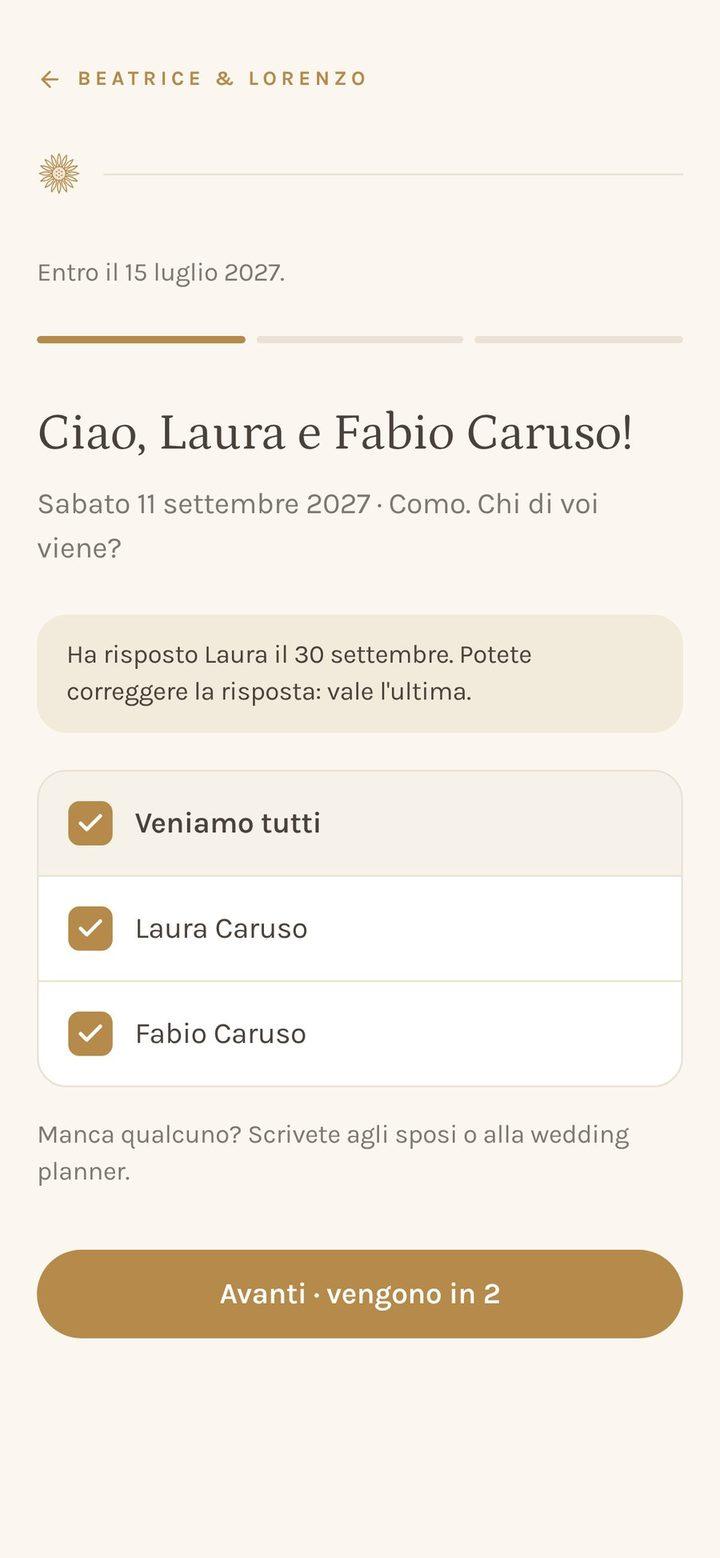
The family replies in a minute
They open the link, see only their names, tick who is coming and add the name of a plus-one if there is one. They choose the menu and write any dietary needs. No sign-up, no app.
See who is missing, and send reminders
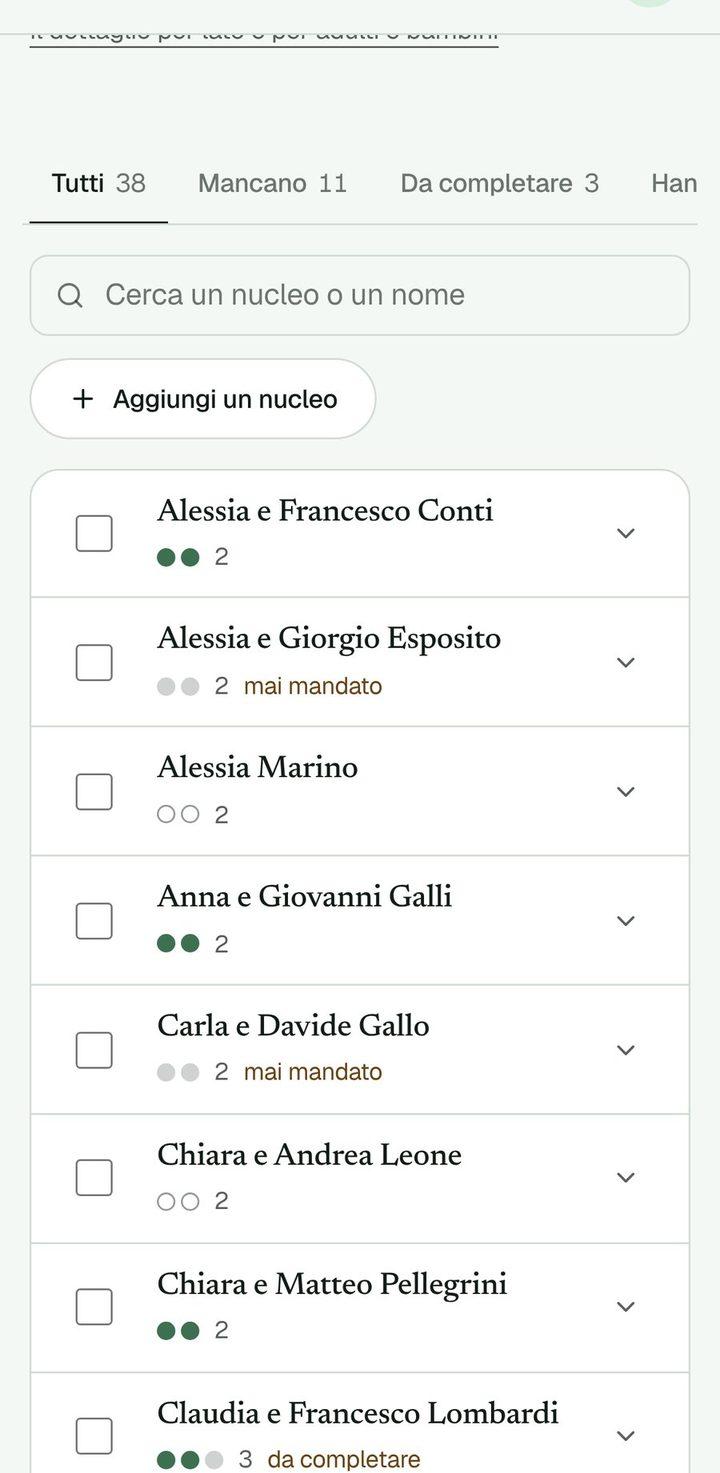
The list sorts itself: replied, missing, and incomplete when someone was added after the family answered. Remind the missing ones on WhatsApp, one after the other.
Replies by phone, you log them
A grandmother who calls doesn't need to open any link: open her household and record the reply, person by person.
The list, always in order
Each household has a status: replied, missing, incomplete. Each person: coming, not coming, no reply. If someone replies from the general site link without the family code, the reply waits to be matched: you link it to its household with one tap, and only then does it count.
From replies to the caterer
Menus, children and dietary needs arrive already counted. The kitchen file and the per-table file for the room are ready to download, with nothing rebuilt from chats.
- Each family sees only its own names: the general site link doesn't show the list.
- For allergies and intolerances the form asks for consent, and they are deleted automatically thirty days after the wedding.
- Data is stored in Europe and only you can see it. Wedding sites don't appear on Google.
Questions
- Do guests need to sign up or download an app?
- No. They open their family's link and reply in a minute, from their phone.
- Is the site available in English?
- Yes. Choose English as the site's language and write the texts in English: buttons and the RSVP form follow. Guests can also switch from the selector at the bottom.
- Can I use my own spreadsheet?
- Yes. Upload the Excel or CSV you already have, or download our template: columns are recognised on their own and errors show row by row before saving.
- What happens after the RSVP deadline?
- The site stops taking replies and the list stops suggesting reminders. You can still add and correct answers yourself.
- I plan several weddings in the same season.
- Manage them all from one account, each with its own site and its own RSVPs.
Try it on your next wedding in Italy.
Build the site and the guest list, and preview them before paying. If you like, we'll walk you through the example site.
Quicker on WhatsApp?Message us